Every episode has three clips in it. Nobody cuts them.
Two hosts, two cameras, a recorder on the table, an hour every week.
The episode is recorded and published. The clips that would bring people to it are the part that keeps slipping to next week.
Finding them means listening to the whole hour again — the hour you were in.
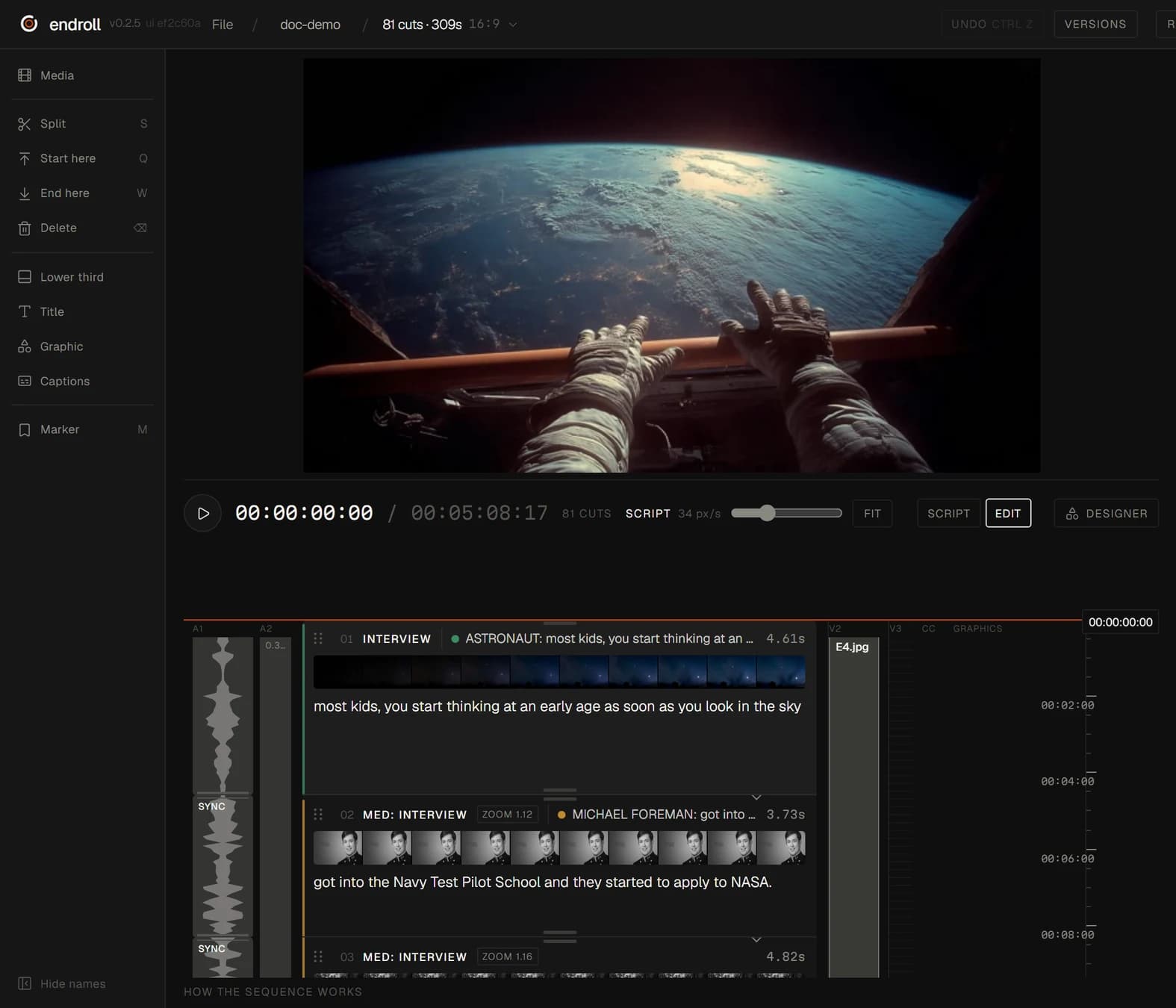
Drop in the episode folder
Everything is transcribed on your machine, so the hour is searchable by what was said.
Ask for the clips
Clips from this library… finds short moments that stand on their own, in this episode or across every episode in the folder. Endroll's AI picks them from what was said — it doesn't write hooks or put words in anyone's mouth.
Vertical in one step
Reframe a clip to Vertical 9:16, Square 1:1 or Portrait 4:5 as its own timeline, then add captions from the transcript so it works on mute.
No clap, no timecode
The cameras and the recorder line up by their sound while Endroll prepares the folder. The recorder's sound replaces the cameras' microphones, and in a long answer the cut switches angles at the pauses with the voice running on underneath.
Endroll is one editor, read top to bottom: the film is a list of shots, each carrying the line spoken in it. You don't need to be an editor to read that — and if you are one, the cut opens in Premiere Pro, DaVinci Resolve or Final Cut.