Three days at the fair. One film by Friday.
Stand footage, customer chats, the keynote, 200 clips from three phones.
You came back with four camera cards and everyone's phone footage. Somewhere in there is a two-minute film that makes the next fair worth funding.
The usual outcome is that it sits on a drive until the fair is old news, because watching it all takes longer than anyone has.
Point Endroll at the folder
Everything is indexed on your machine — what is said, who is on screen, what is in the frame. Phones and cameras mixed, no naming discipline required.
Say what the film should say
A brief is enough: the energy of the stand, two customer lines, the product in use, end on the team. Endroll's AI finds those moments in your footage and builds the cut.
Change it in plain words
Too long, drop the keynote, more of the demo — the next version comes back in minutes, with captions and your music already under it.
Two cameras on the same conversation
Shot the interview on two cameras? Endroll switches between them like an editor would: the person talking stays on screen, and the cuts don't jump you to the wrong side of the room.
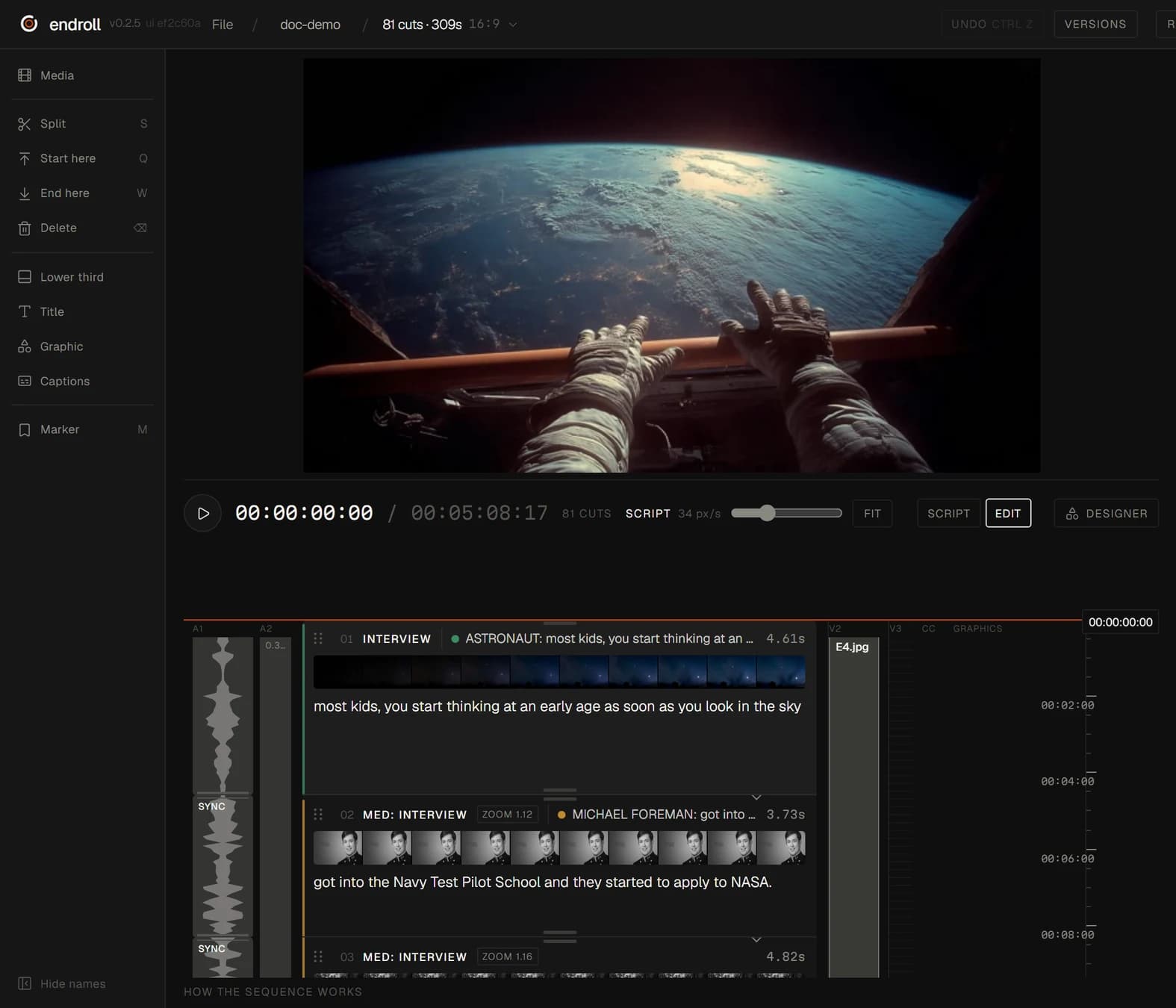
Endroll is one editor, read top to bottom: the film is a list of shots, each carrying the line spoken in it. You don't need to be an editor to read that — and if you are one, the cut opens in Premiere Pro, DaVinci Resolve or Final Cut.