Endroll vs VEED
A VEED alternative for marketing teams who already have the footage — a shoot, an event, a product demo — and need one film built from it, not generated.
Pick VEED if you make social video in a browser or on your phone — subtitles, templates, brand kits, AI avatars and AI-generated clips — and want teammates to comment and edit in the same online workspace.
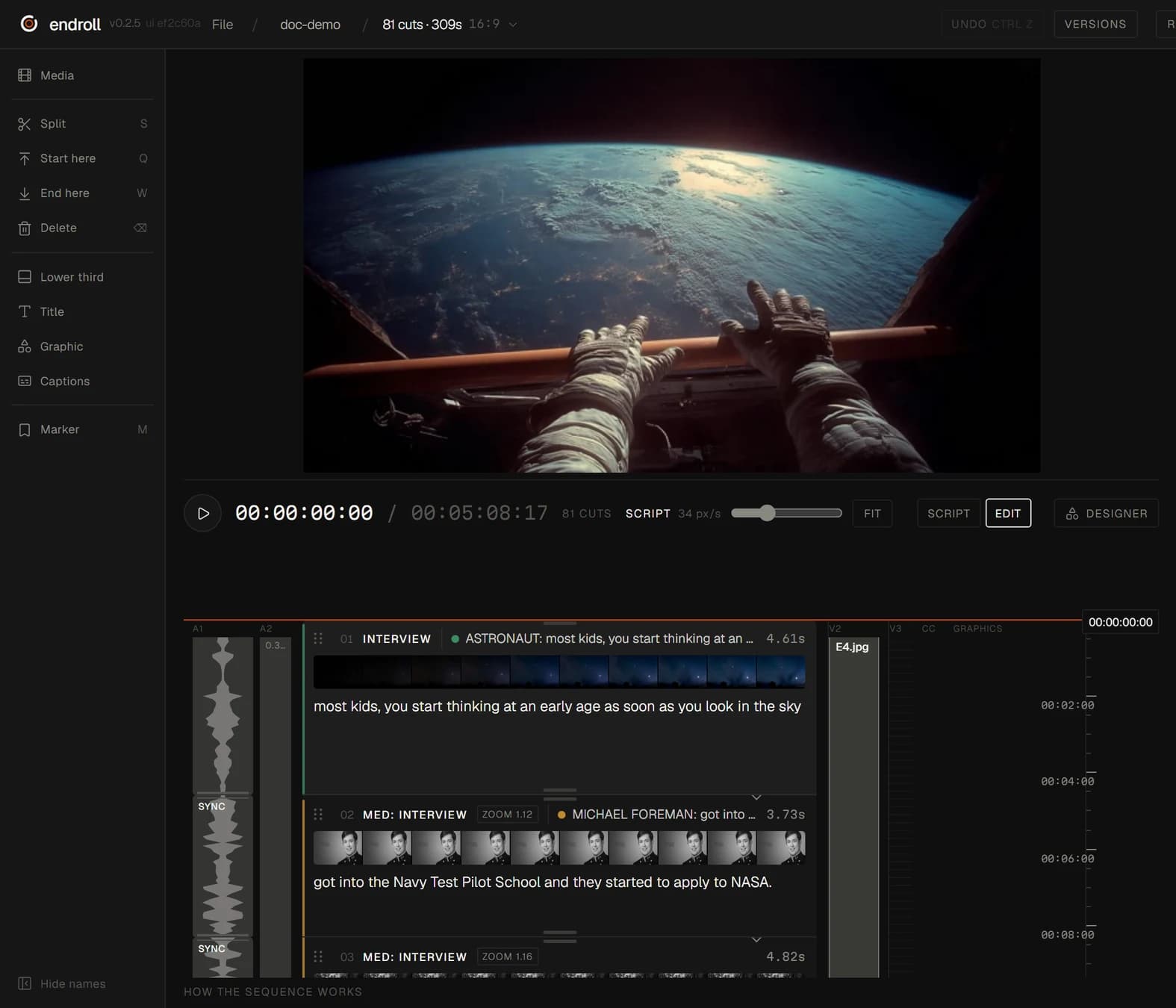
Pick Endroll if you have a folder of real footage from cameras and phones and need a film that says something specific: you write it, and the AI finds the moments and builds the cut on your own computer.
What each one is built for
| Feature | VEED | Endroll |
|---|---|---|
| Approach | Online video editor and AI generation platform: “AI video creation, made for social.” Editing tools work “right in your browser”. | Script-first editor. You write what the video should say, and the AI builds an editable cut from your own footage. |
| What you start with | Media you upload from your device or phone, recordings from its screen and webcam recorder, stock media, or video, voice, avatars and images generated from a prompt. | A folder of your own footage — phones and cameras mixed — plus a script or a short brief. |
| What the AI does | AI video generation (text to video, image to video, third-party models such as Sora 2 and Veo 3.1), AI avatars, lip sync and voice cloning, auto subtitles, translation and dubbing, Eye Contact AI, background removal, and Magic Cut, which trims pauses and verbal hesitations. | Indexes the footage on your machine (transcription, shot descriptions), picks the moments that fit your script and assembles the cut. You change it by hand, or ask for a re-cut in plain words. |
| Where your footage is processed | In VEED's cloud workspace: uploads land in the workspace asset library, and VEED describes “cloud servers where you can upload, share, and editing your videos straight from your browser.” | On your machine. Indexing, editing and rendering run locally, and your full footage never leaves your machine. The cloud AI receives transcripts, clip descriptions, the cutting plan and small preview stills. |
| Export to an editing app | MP4 download — 720p on Free, up to 1080p on Creator, up to 4K on Pro, Studio and Enterprise. Its export help article describes no timeline (XML) export. | Send the cut to Premiere Pro (through the Endroll panel on Adobe Exchange) or straight into DaVinci Resolve, export FCPXML for Final Cut Pro, or render the finished video locally. |
| Pricing model | Free plan, then Creator, Pro and Studio plans billed monthly or annually per seat, each with an allowance of AI credits that refreshes on renewal and does not carry over; Enterprise is custom. | Starter €29/month with 1,500 credits, Pro €59/month with 5,000. Credits pay only for AI work — drafts, re-cuts, assistant edits — and each job shows its price before it runs. Editing by hand never spends credits. Free trial (14 days, 600 credits, no card) opens in batches from a waitlist. |
| Runs on | Web app at veed.io, plus apps for iOS and Android. | Desktop app for Windows 10/11 (64-bit) and Macs with Apple silicon (M1 or newer, macOS 13+). |
When VEED is the better fit
- You want to work in a browser or on your phone, with nothing to install. Endroll is a desktop app for Windows and Mac.
- You want to generate video without filming: AI avatars, text to video, image to video, AI voices.
- Your output is social video built from templates and a brand kit, with subtitles, translation or dubbing.
- Your team edits and comments on the same project online, with timestamped feedback.
- You want to start on a free plan.
When Endroll is the better fit
- You already have the footage — a folder of clips from cameras and phones — and need a film built from it, not generated.
- You know what the film should say. Write it, and Endroll finds those moments in your footage and builds the cut.
- The footage is client work or internal material. Your full footage never leaves your machine: indexing, editing and rendering run locally.
- The amount of footage shouldn't change the bill. Indexing runs on your machine and spends no credits, so one hour or ten, the same cut costs the same.
- You finish in Premiere Pro, DaVinci Resolve or Final Cut — timeline export is in every Endroll plan, including the trial.
Try it on your own footage.
The free trial is the whole editor for 14 days with 600 credits — enough for a first cut and a revision. No card, and it ends on its own. Trials open in batches: sign in to join the waitlist.
Competitor details checked on from their public websites; features change — check their site for current details. Sources: veed.io, veed.io/pricing, VEED Cloud video editing, VEED Help: How to export your project, VEED Help: How to upload files, VEED Help: Subscribe and manage your subscription, VEED Help: Sign up and log in, VEED Help: Magic Cut. VEED is a trademark of its owner. Endroll is made by RagingRam Oy and is not affiliated with VEED.