Endroll vs CapCut
A CapCut alternative for when you have a folder of footage and a film to make for work, not a template to fill.
Pick CapCut if you make short social videos from templates, on your phone, in a browser or on the desktop, and want captions, effects and AI generation in one free-to-start app.
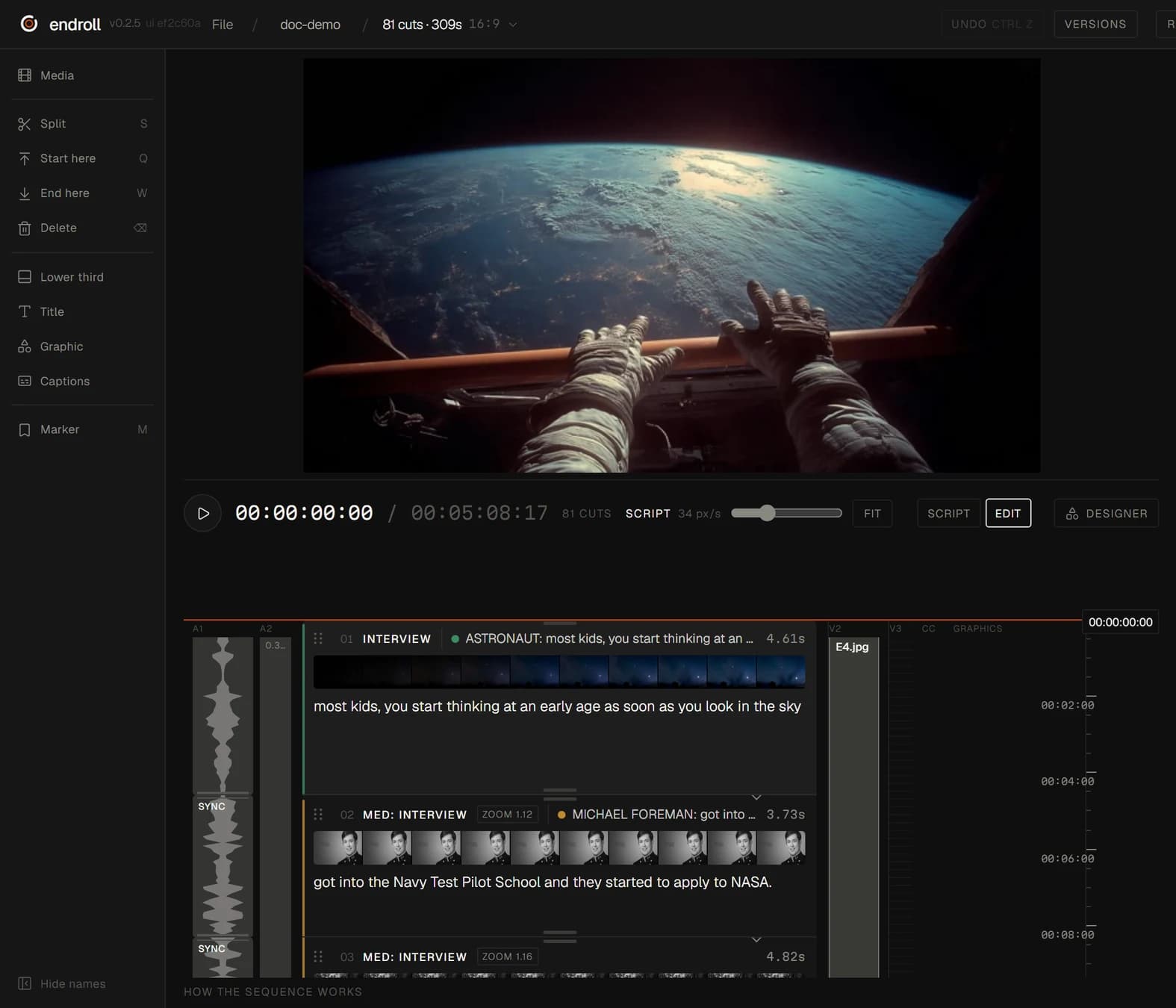
Pick Endroll if you have a pile of clips from a shoot or an event and need one edited film with a point: you write what it should say, and the AI builds the cut from your footage on your own computer.
What each one is built for
| Feature | CapCut | Endroll |
|---|---|---|
| Approach | All-in-one editor: an “AI-Powered Photo & Video Editor for Everyone,” built to “create trending content for YouTube, Instagram, and beyond.” | Script-first editor. You write what the video should say, and the AI builds an editable cut from your own footage. |
| What you start with | Your own clips and photos, ready-made templates (Reels and TikTok, social media, business), or text and prompts for script to video and AI generation. | A folder of your own footage — phones and cameras mixed — plus a script or a short brief. |
| What the AI does | Auto captions, text to speech and custom voices, voice enhancement and noise reduction, background removal, long video to shorts, script to video, an AI writer, and AI video and image generation with Dreamina Seedance and other models. | Indexes the footage on your machine (transcription, shot descriptions), picks the moments that fit your script and assembles the cut. You change it by hand, or ask for a re-cut in plain words. |
| Where your footage is processed | On your device or in CapCut's cloud. When you're signed in, CapCut “saves projects to the cloud by default”; desktop projects made without signing in may stay local. Working across devices goes through its cloud Spaces. | On your machine. Indexing, editing and rendering run locally, and your full footage never leaves your machine. The cloud AI receives transcripts, clip descriptions, the cutting plan and small preview stills. |
| Export to an editing app | Rendered video files, up to 4K at 60fps on desktop. CapCut “does not support direct importing or exporting of project files from third-party editing software.” | Send the cut to Premiere Pro (through the Endroll panel on Adobe Exchange) or straight into DaVinci Resolve, export FCPXML for Final Cut Pro, or render the finished video locally. |
| Pricing model | Free plan, then Pro, Ultra and Teams subscriptions, monthly or yearly, each with a monthly allowance of AI credits and cloud storage; Teams is priced per seat and adds a brand kit. Pro pricing “can vary depending on your region, device, and available promotions.” | Starter €29/month with 1,500 credits, Pro €59/month with 5,000. Credits pay only for AI work — drafts, re-cuts, assistant edits — and each job shows its price before it runs. Editing by hand never spends credits. Free trial (14 days, 600 credits, no card) opens in batches from a waitlist. |
| Runs on | Desktop app for Windows and macOS, a web editor, and mobile and tablet apps. | Desktop app for Windows 10/11 (64-bit) and Macs with Apple silicon (M1 or newer, macOS 13+). |
When CapCut is the better fit
- You want to start for free, on the device you already have — phone, tablet, browser or desktop.
- Your output is short social video, and you want to start from a template rather than a blank timeline.
- You want effects, captions, voices and AI-generated video and images in the same app.
- You want to edit on your phone and pick the project up on your computer.
When Endroll is the better fit
- You don't start from a template — you have a folder of clips from a shoot, an event or several phones, and a film to make from them.
- You know what the film should say. Write it, and Endroll finds those moments in your footage and builds the cut.
- The footage is client work or internal material. Your full footage never leaves your machine: indexing, editing and rendering run locally.
- You finish in Premiere Pro, DaVinci Resolve or Final Cut — Endroll exports the timeline to all three in every plan, including the trial.
- You want to change the cut in plain words — too long, drop the keynote, more of the demo — and see the price before the AI runs. Editing by hand never spends credits.
Try it on your own footage.
The free trial is the whole editor for 14 days with 600 credits — enough for a first cut and a revision. No card, and it ends on its own. Trials open in batches: sign in to join the waitlist.
Competitor details checked on from their public websites; features change — check their site for current details. Sources: capcut.com, capcut.com/pricing, CapCut desktop video editor, CapCut Help: How much does CapCut Pro cost?, CapCut Help: Can I modify history task?, CapCut Help: Exporting a Premiere Pro project to CapCut, CapCut Help: 2K/4K export. CapCut is a trademark of its owner. Endroll is made by RagingRam Oy and is not affiliated with CapCut.