Endroll vs Descript
A Descript alternative for when you have a folder of footage and a story to tell, not one recording to tidy up.
Pick Descript if you record yourself — a podcast, a tutorial, a talking-head video — and want to edit it by editing the transcript, with recording and audio clean-up in the same app.
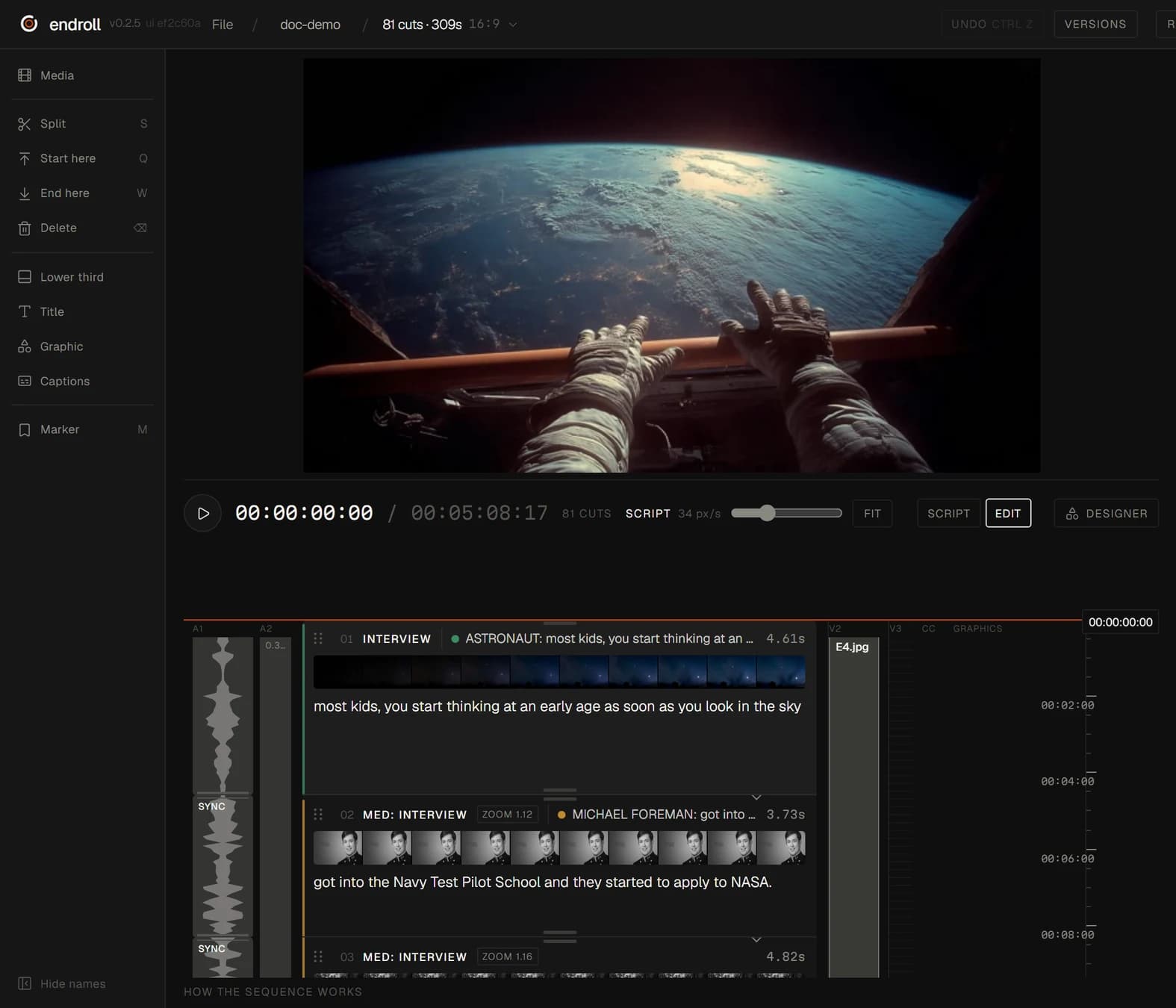
Pick Endroll if you have many clips from many cameras and need a film that says something specific: you write it, and the AI finds the moments in your footage and builds the cut on your Windows machine.
What each one is built for
| Feature | Descript | Endroll |
|---|---|---|
| Approach | Text-based editor: Descript transcribes your recording and you edit the video by editing the text. Underlord is its AI co-editor. | Script-first editor. You write what the video should say, and the AI builds an editable cut from your own footage. |
| What you start with | Recordings you make in Descript or import. Underlord also turns documents, slides, blog posts and screen recordings into video. | A folder of your own footage — phones and cameras mixed — plus a script or a short brief. |
| What the AI does | Underlord drafts and revises scripts, finds engaging moments, makes bulk edits (such as centering speakers or adding lower thirds) and builds videos like shortened webinars and promo clips. Tools include Remove Filler Words, Remove Retakes, Studio Sound and Eye Contact. | Indexes the footage on your machine (transcription, shot descriptions), picks the moments that fit your script and assembles the cut. You change it by hand, or ask for a re-cut in plain words. |
| Where your footage is processed | Descript's help centre says it “uses cloud storage, but certain actions still rely on your local disk”; media is uploaded to it. | On your machine. Indexing, editing and rendering run locally, and your full footage never leaves your machine. The cloud AI receives transcripts, clip descriptions, the cutting plan and small preview stills. |
| Export to an editing app | Timeline export to Premiere (XML), DaVinci Resolve (XML), Final Cut Pro (FCPXML), plus Reaper, Audition and Pro Tools/Logic (AAF). Available on Creator, Business and Enterprise plans. | Send the cut to Premiere Pro (through the Endroll panel on Adobe Exchange) or straight into DaVinci Resolve, export FCPXML for Final Cut Pro, or render the finished video locally. |
| Pricing model | Free plan, then Hobbyist, Creator and Business plans priced per person per month, each with a monthly allowance of media hours and AI credits; Enterprise is custom. AI credits track use of AI features such as Underlord. | Starter €29/month with 1,500 credits, Pro €59/month with 5,000. Credits pay only for AI work — drafts, re-cuts, assistant edits — and each job shows its price before it runs. Editing by hand never spends credits. 14-day trial with 600 credits, no card. |
| Runs on | Desktop app for macOS 14+ and Windows 11+, and a web version in Chromium-based browsers. | Windows 10/11 desktop app. Mac is on the way. |
When Descript is the better fit
- You recorded one thing — a podcast, an interview, a tutorial — and want to cut it by deleting words in a transcript.
- You want recording, editing and publishing in the same app, including recording remote guests.
- You need audio and on-camera fixes like Studio Sound, filler-word removal or Eye Contact.
- You work on a Mac or in the browser. Endroll runs on Windows today.
- You want to start on a free plan.
When Endroll is the better fit
- You have a folder of clips from several cameras and phones, and no single recording to transcribe your way through.
- You know what the film should say. Write it, and Endroll finds those moments in your footage and builds the cut.
- The footage is client work or internal material. Your full footage never leaves your machine: indexing, editing and rendering run locally.
- The amount of footage shouldn't change the bill. Indexing runs on your machine and spends no credits, so one hour or ten, the same cut costs the same.
- You finish in Premiere Pro, DaVinci Resolve or Final Cut — timeline export is in every Endroll plan, including the trial.
Try it on your own footage.
The free trial is the whole editor for 14 days with 600 credits — enough for a first cut and a revision. No card, and it ends on its own. Trials open in batches: sign in to join the waitlist.
Competitor details checked on from their public websites; features change — check their site for current details. Sources: descript.com, descript.com/pricing, descript.com/underlord, Descript Help Center: Timeline exports, Descript Help Center: System requirements. Descript is a trademark of its owner. Endroll is made by RagingRam Oy and is not affiliated with Descript.